New in 3.19.0Windows, macOS and Linux

Free download manager for your desktopDownload more.
Keep control.

An open-source alternative to IDM with parallel connections, pause and resume, queues and schedules. Add optional torrent downloads, supported videos, offline websites, Web Grabber, Lua scripting and custom themes.

YouTube · Bilibili · TikTok · Twitch · HLS & DASH

Stable v3.19.0 Windows · macOS · Linux Free under MIT

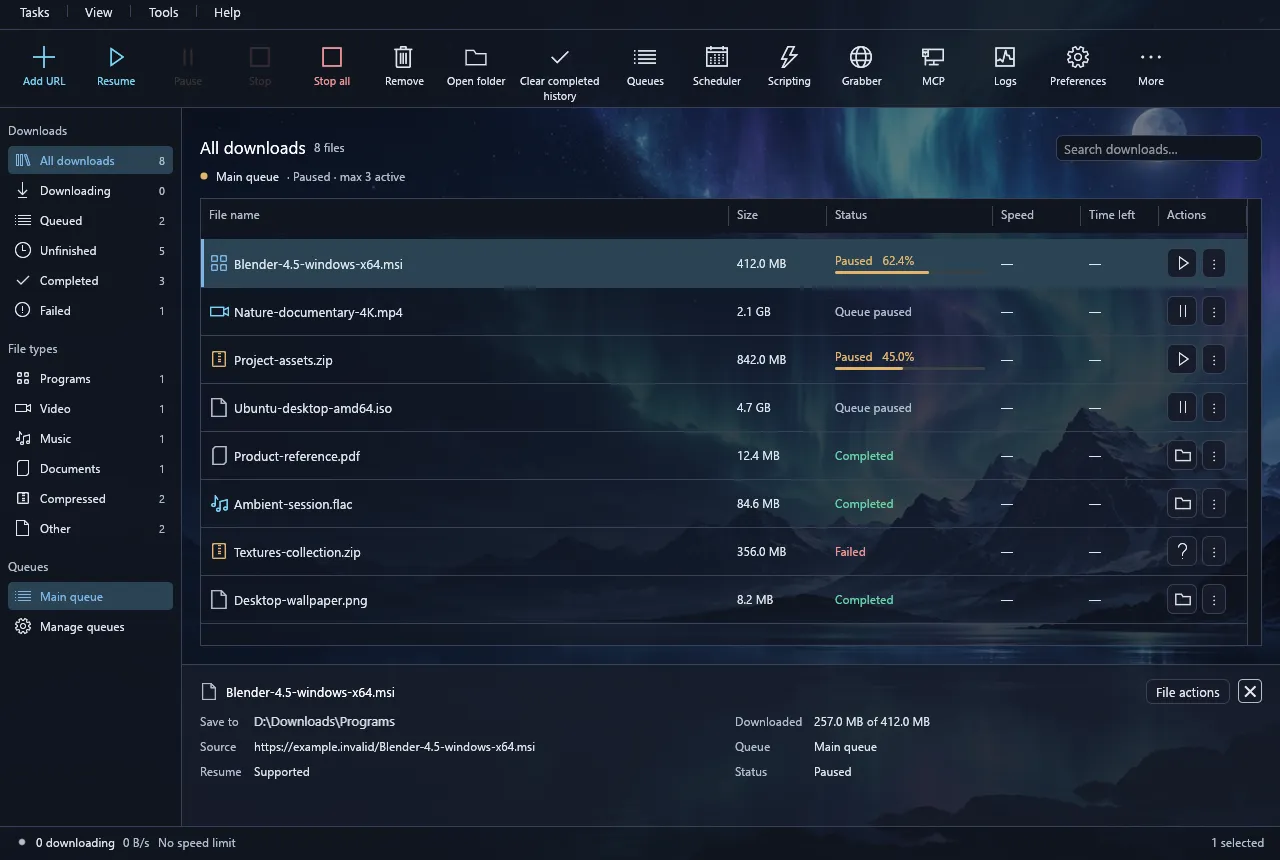
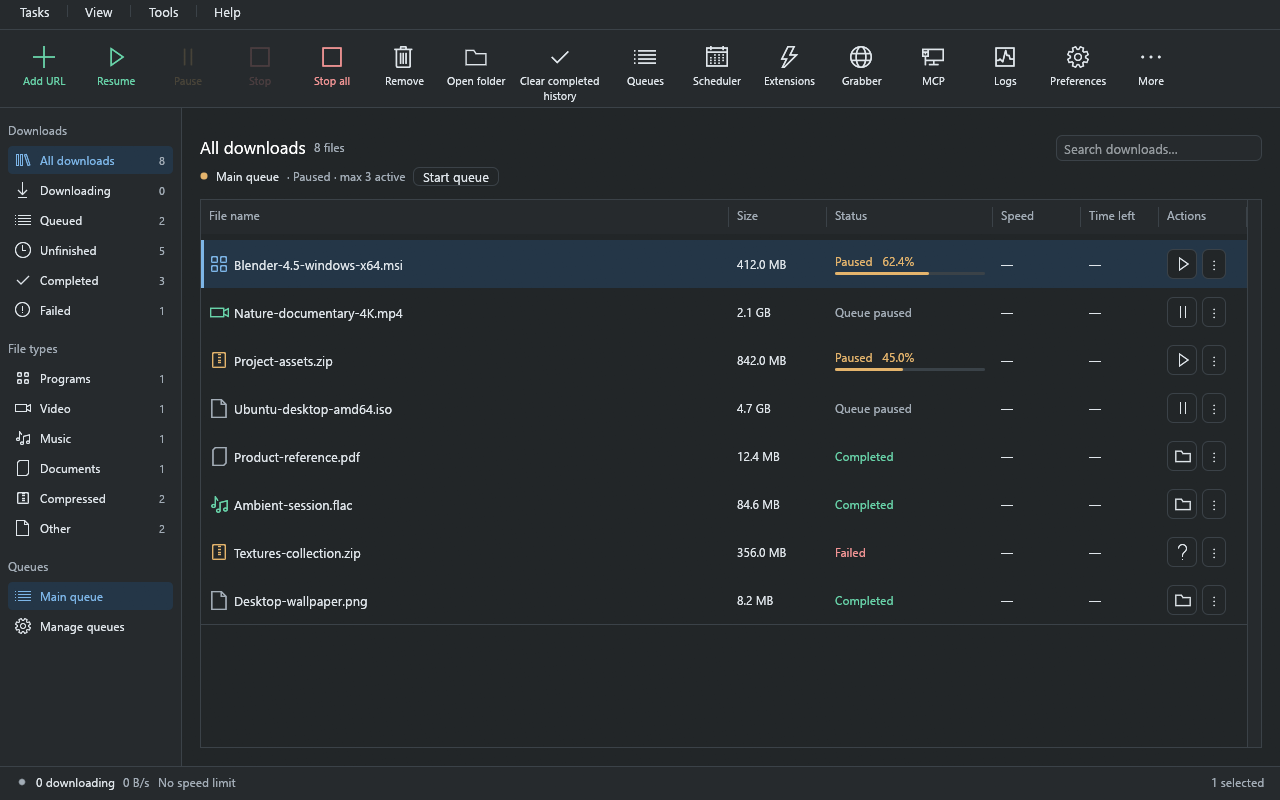
Download Engine with the Aurora theme: northern-lights artwork behind the translucent toolbar, sidebar and a list of example downloads
Real desktop UI · example downloads · Aurora themeView full size

New in 3.4 · Custom themes

Make it yours.
Down to the backdrop.

Choose artwork that fills the whole window behind translucent toolbar, sidebar and details panels. Changes preview instantly; Save keeps them and Cancel restores your previous look.

Preview an included theme
Theme collectionPreferences → Appearance → Custom
Your image
  • Your image. Choose a PNG or JPEG up to 16 MiB. A resized copy stays in your profile and is never uploaded; Remove image deletes it when you save.
  • Background strength works the same for every picture. Bright images get a darker overlay, so text stays readable.
  • Accent color for controls. Very dark accents are lifted to a readable shade.
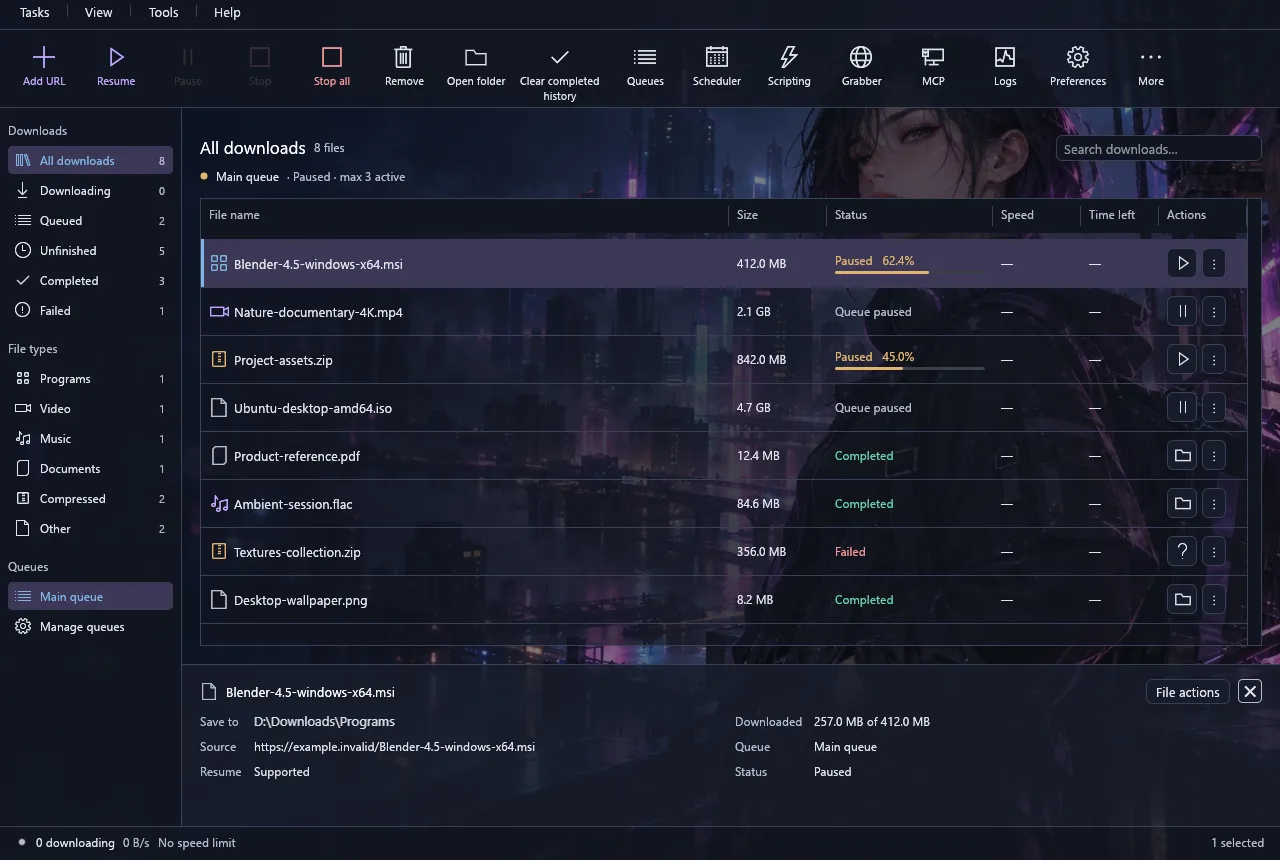
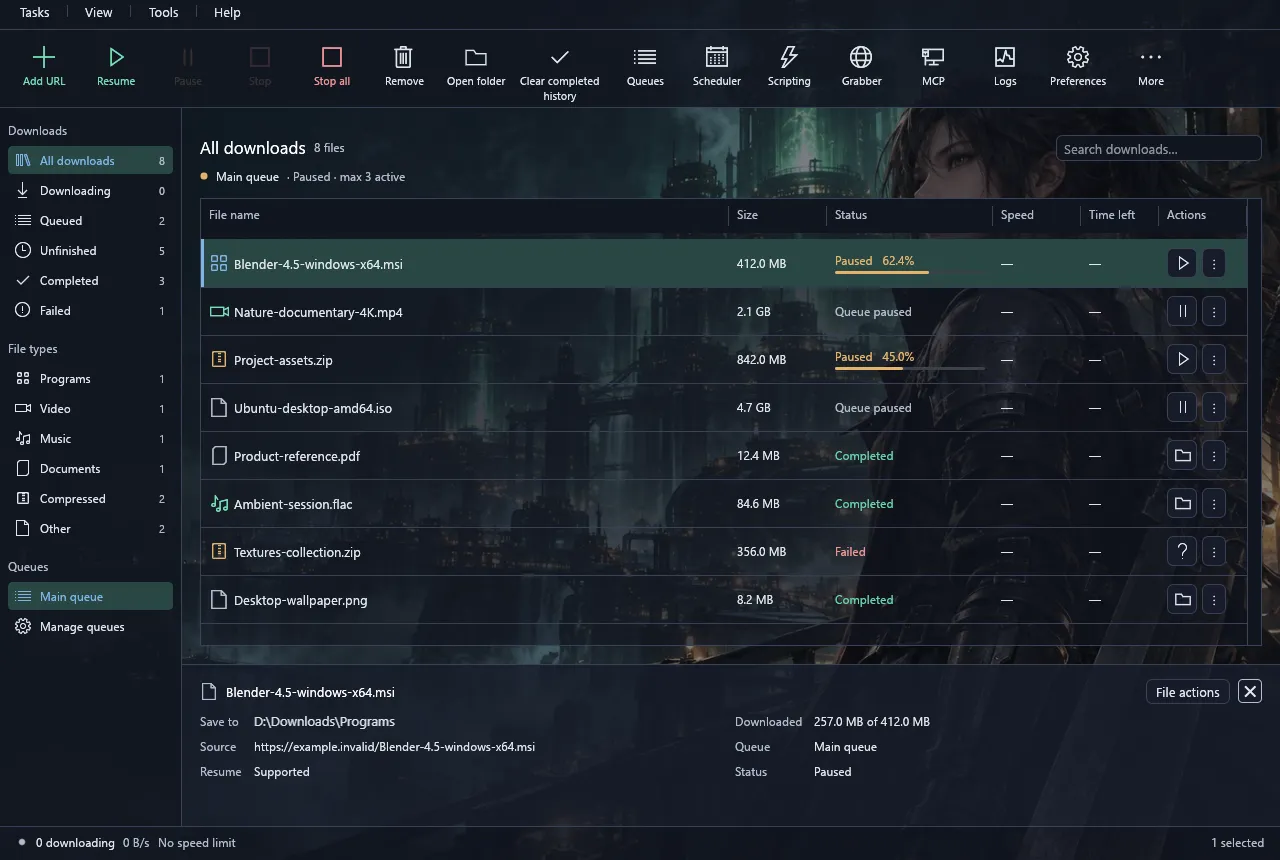
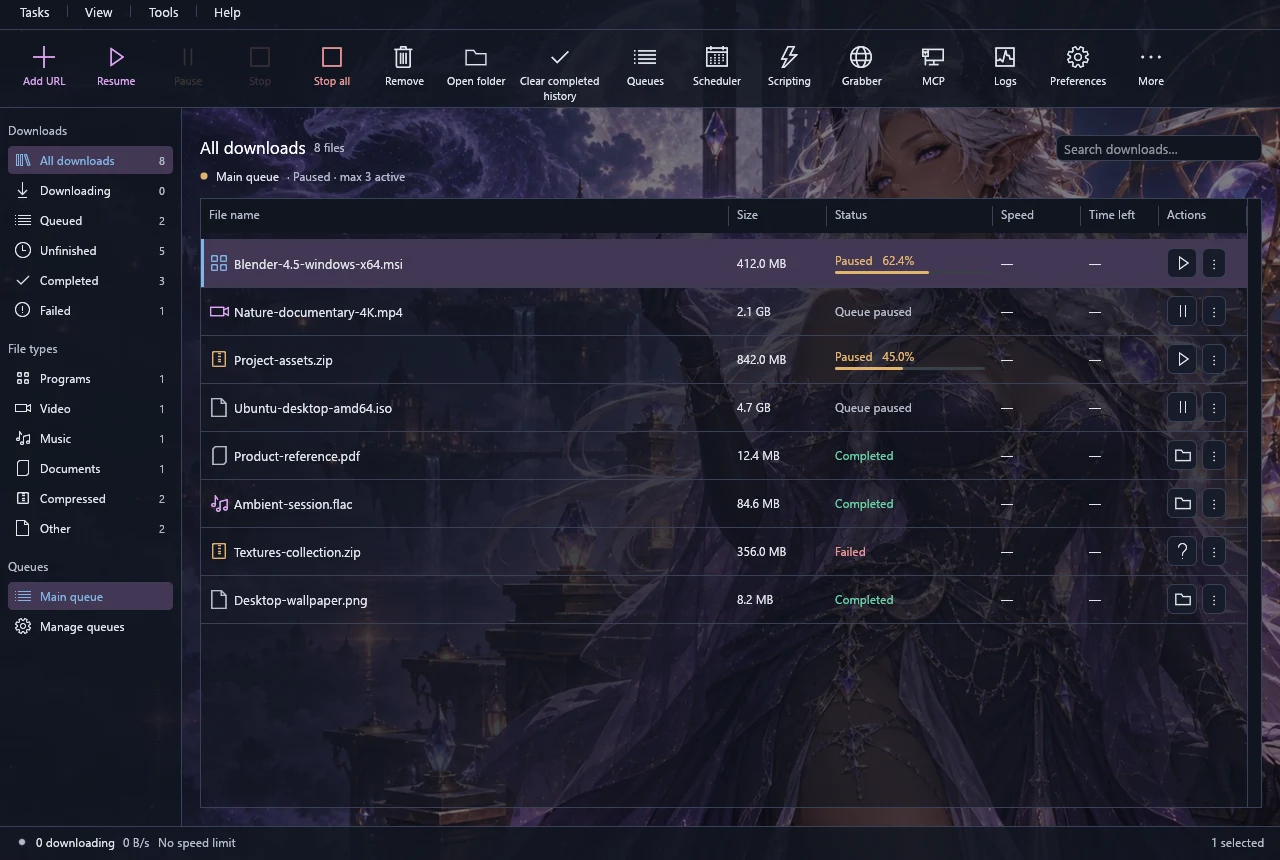
Download Engine downloads view with the Aurora theme and example downloads Download Engine downloads view with the Neon Courier theme and example downloads Download Engine downloads view with the Reactor Night theme and example downloads Download Engine downloads view with the Moonveil theme and example downloads

Real screenshots with example downloads; the collection panel is an illustration. Included artwork is bundled and works offline. System, Light and Dark remain available.

Custom themes guide

Supported video sites & formats

Your videos.
Your choice of quality.

Built-in readers for popular video sites. Preview the available quality and audio, then send your selection to the queue. FFmpeg is included for supported merging.

Other sites & stream links

Save compatible finished, unencrypted HLS streams and static DASH streams from other websites. Availability depends on the page and stream format.

No DRM or live recording. Sign-in requirements, region restrictions and website changes can limit availability. Read the full support table

Built-in Web Grabber

Collect the files.
Keep the website.

Skip copying links one by one. Discover the files you need, or take a supported static website with you.

01

Find downloadable files

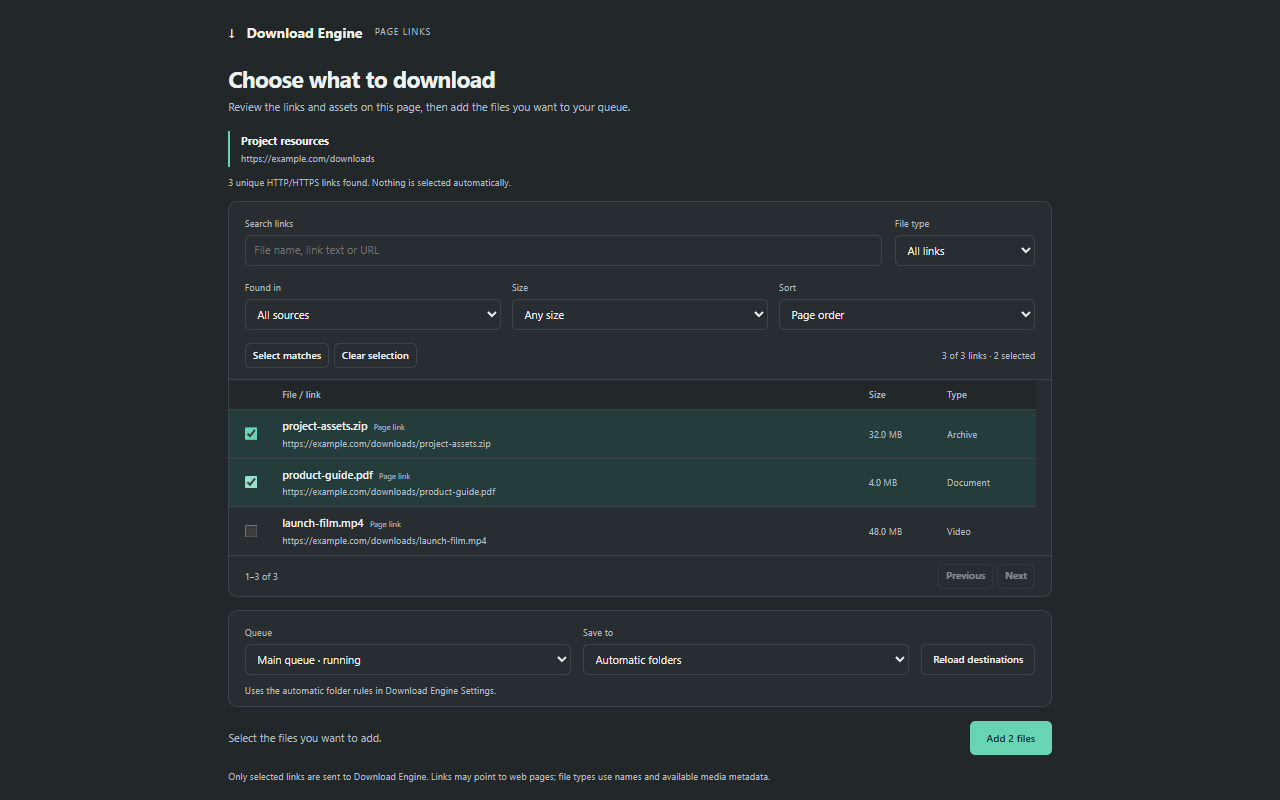
Scan a page, filter by file type and review the results. Select the files you want, then add them to a queue.

02

Save a website offline

Capture supported pages, images and styles with local links. Open the saved site in your browser, without a connection.

03

Keep a project ready

Save a file-discovery project and schedule repeat scans. Review the newly discovered files before adding them to your queue.

Choose scan depth, page limits and capture size. The capture report shows what was saved or omitted. Offline copies cover static content; sign-in flows and interactive apps require the original website.

Preview the two Web Grabber workflows
Web GrabberChoose a workflow to preview
https://example.com/resourcesExample
3 files discoveredPDF, ZIP, images
PDF
Getting-started.pdf/resources/documents/
2.4 MB
ZIP
Design-assets.zip/resources/downloads/
18 MB
PNG
Cover-image.png/resources/images/
860 KB
Review your selection, then add it to a queue.
A site you can open offlineLocal links
Saved website
HTMLindex.htmlStart here
HTMLguide/index.html
CSSassets/styles.css
PNGimages/cover.png
Pages and assets, connected with local links.

Interactive illustration with example content, not a live scan.

Beyond direct file links

More links.
One download queue.

Since version 3.2.0

Dedicated support for MEGA and WeTransfer, plus discovery for pages that expose downloadable files.

Availability: these hosting integrations and GitHub capture changes are included in the v3.19.0 desktop and extension packages linked below. Reload your browser extension after upgrading.

MEGA

Public file links

Paste the complete file link, including its # key. Download Engine decrypts locally and verifies the file before completing it.

  • Parallel transfers and pause/resume
  • Local decryption and integrity verification
  • Individual public files; no folder or account downloads
MEGA support & limits

WeTransfer

Public transfers

Use a we.tl short link or a full transfer link. Save the file or whole bundle supplied by WeTransfer.

  • Single files or a complete transfer archive
  • Resume when the file server supports it
  • No password or identity-verification transfers
WeTransfer support & limits

Other download pages

File-link discovery

If a link opens an HTML page, the app can look for exposed file links and let you choose what to download.

  • One explicit same-site link can continue automatically
  • Review ambiguous or external file links
  • GitHub raw-file discovery and browser capture
How link discovery works

Support depends on what a site exposes. Login pages, JavaScript challenges and protected links may need the browser; this is not universal hosting support.

Explore the latest source

The everyday essentials, too

Built around the way
you download.

Faster transfers. Less starting over.

Parallel connections for supported HTTP, HTTPS, FTP and FTPS files. Pause, resume and recover unfinished downloads after restarting the app.

Resume depends on the server and the file remaining compatible.

Video, with a choice.

Built-in YouTube, Bilibili, TikTok and Twitch readers, plus compatible HLS and DASH streams. Review quality and audio before downloading.

Explore video support

A queue for every plan.

Add links in batches, organize downloads and schedule when they run. Set connection counts, speed limits, quotas and folders.

Explore download controls

Check what you save.

Verify a publisher’s SHA-256 checksum, use your configured antivirus for single or batch scans, and follow progress, speed and time remaining in a compact status window.

Antivirus scanning requires a supported scanner installed on your PC.

Lua scripting & extensions · Built into the app

Your ideas.
One core API.

Automate a queue, read a custom site or build a media downloader. Write Lua in the app while the core handles transfers, recovery and muxing, without recompiling it.

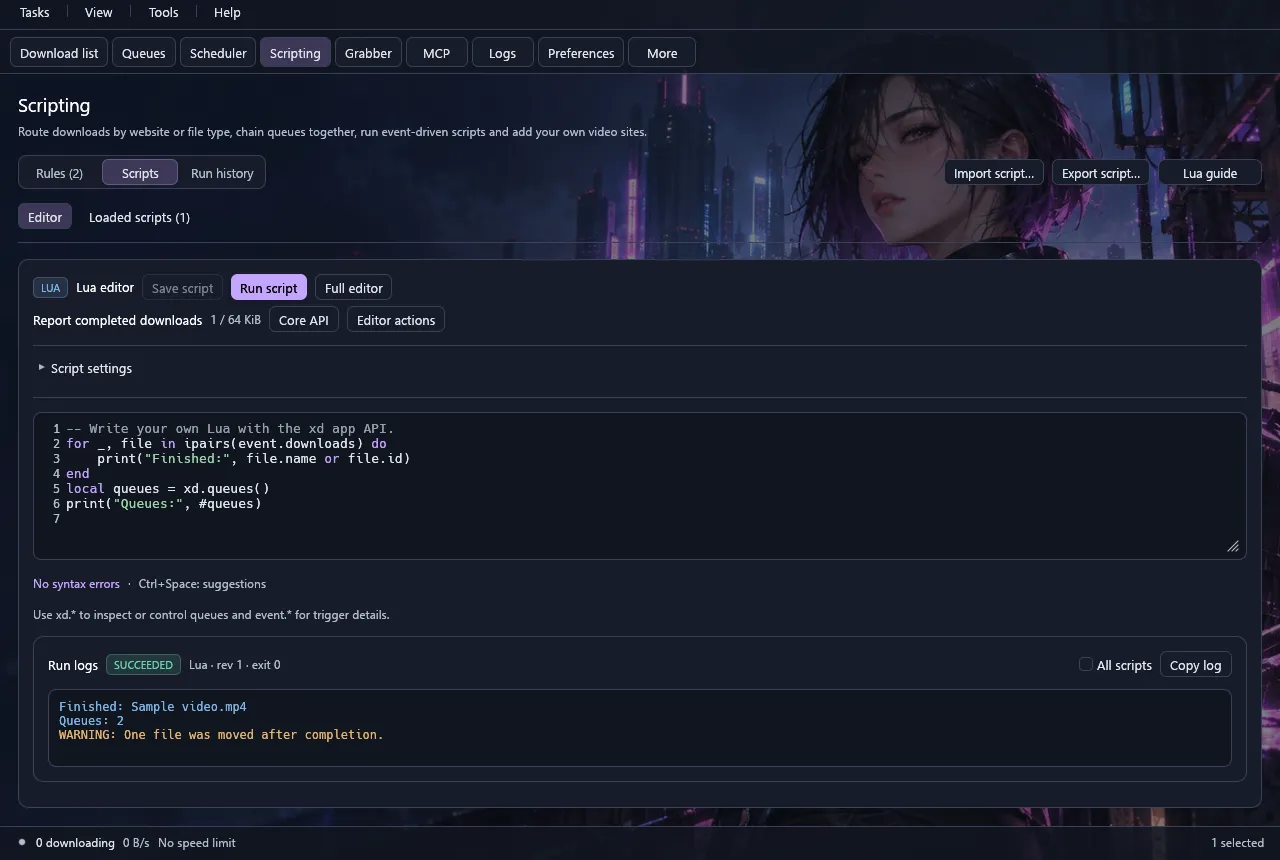
  • An editor with room to work. Live syntax checks, autocomplete, a searchable API reference and Full editor. Keep your saved scripts in Loaded scripts.
  • Run it your way. Run automation manually or from a supported trigger. Follow its logs and stop a run from the same workspace.
  • Share what you build. Export scripts or .de-extension.json packages. Place extensions in the app’s plugins folder, then review their permissions. New installs start disabled.
Download Engine Scripting page with Editor and Loaded scripts tabs, a Lua script, Full editor and Core API buttons and a successful run log
Scripting workspace · Neon Courier theme · example scriptView full size
01 · AUTOMATION

Handle the routine.

Inspect downloads, manage queues and react to completion events or timers. Start with a manual run, then choose a trigger.

Automation guide
02 · SITE READERS

Teach it a new page.

Use HTTP and HTML helpers to turn a custom page into supported file or video links. Review the results before downloading.

Build a site reader
03 · MEDIA PROVIDERS

Your logic. Core transfers.

Resolve segments, choose video, audio and subtitles, and process encrypted bytes. The core handles pause/resume, verified checkpoints and MKV/MP4 muxing.

Media API & examples

Build custom workflows for encrypted media sites, including services such as Crunchyroll, using Lua provider APIs. The bundled episode and CENC examples use offline samples; they do not include working site logins or license integrations. Use custom integrations at your own risk.

A small first step

Try Lua without starting a download.

Create a Lua script with a Manual trigger, paste this example, then Save and Run. Your queue names and running states appear in the logs.

Follow the walkthrough
hello-queues.luaRead-only example
-- Read your queues. No files changed.
for _, queue in ipairs(xd.queues()) do
    print(queue.name, queue.running)
end
print("Download Engine", xd.app_version)

More ways to connect. Use optional PowerShell for trusted automation (PowerShell 7 is required on macOS/Linux), the CLI from a terminal, or optional localhost MCP for an AI client. MCP starts disabled; you choose its permissions.

V1, v2 & hybrid · New in 3.19.0

Choose the files.
Control the sharing.

Download selected files from v1, v2 and hybrid torrents alongside your other downloads. Keep the same queues, pause, resume and recovery controls, with optional peer encryption, uTP, web seeds and VPN/interface binding.

Open it your way

Open v1, v2 or hybrid .torrent files from Explorer, click btih/btmh magnet links in a connected browser, drag a .torrent onto the window, or review a copied magnet. The app still asks before turning on torrents.

Choose when to share

Uploading, seeding after completion, incoming connections and UPnP start off for new profiles. Existing saved choices are preserved. Enabling incoming connections or UPnP shows a warning and requires Save. Stop all also stops sharing. Optional UPnP maps TCP on Windows and Linux; it does not map UDP.

Manage every file

Scan multi-file torrents with your configured antivirus. Move or rename completed torrent folders from their menu, with recovery if a move is interrupted.

Choose peer encryption

Keep it off, prefer encrypted connections with plaintext fallback, or require encryption. The Peers list shows each connection’s actual TCP/uTP transport and Encrypted or Plaintext status. MSE/PE does not hide your IP address or authenticate peers.

Connect over uTP

Try reliable UDP when TCP fails. Incoming connections still need their own opt-in. This implementation uses CUBIC congestion control, not LEDBAT.

Use verified web seeds

Fetch pieces from HTTP/HTTPS sources in a torrent file. V1 pieces use SHA-1, v2 uses authenticated SHA-256 trees, and hybrid files check both. Saved sources survive a restart. Raw magnet ws= parameters are not imported.

Use torrents at your own risk. Downloaded files may contain malware, and peers can see your IP address. Enabling uploads or seeding shares file data with other peers. Only download and share content you are authorized to use. Antivirus scans cannot guarantee that a file is safe.

Optional interface binding in Preferences → Torrents → Torrent network uses one existing IPv4 or IPv6 address and a numeric DNS server of the same family. If that interface disappears, torrents stop and save progress without switching to another connection. Reconnect and Resume to continue. Binding does not install a VPN or encrypt traffic itself; other downloads keep their own network settings. Peer encryption, uTP and web seeds start off. Enable them in Preferences → Torrents → Transfers. Torrents pause while a proxy is enabled: the app’s proxy does not carry torrent traffic. Adding torrents through CLI, scripts or MCP is not supported. Read the torrent guide ↗

From your browser to your queue

See it.
Send it. Save it.

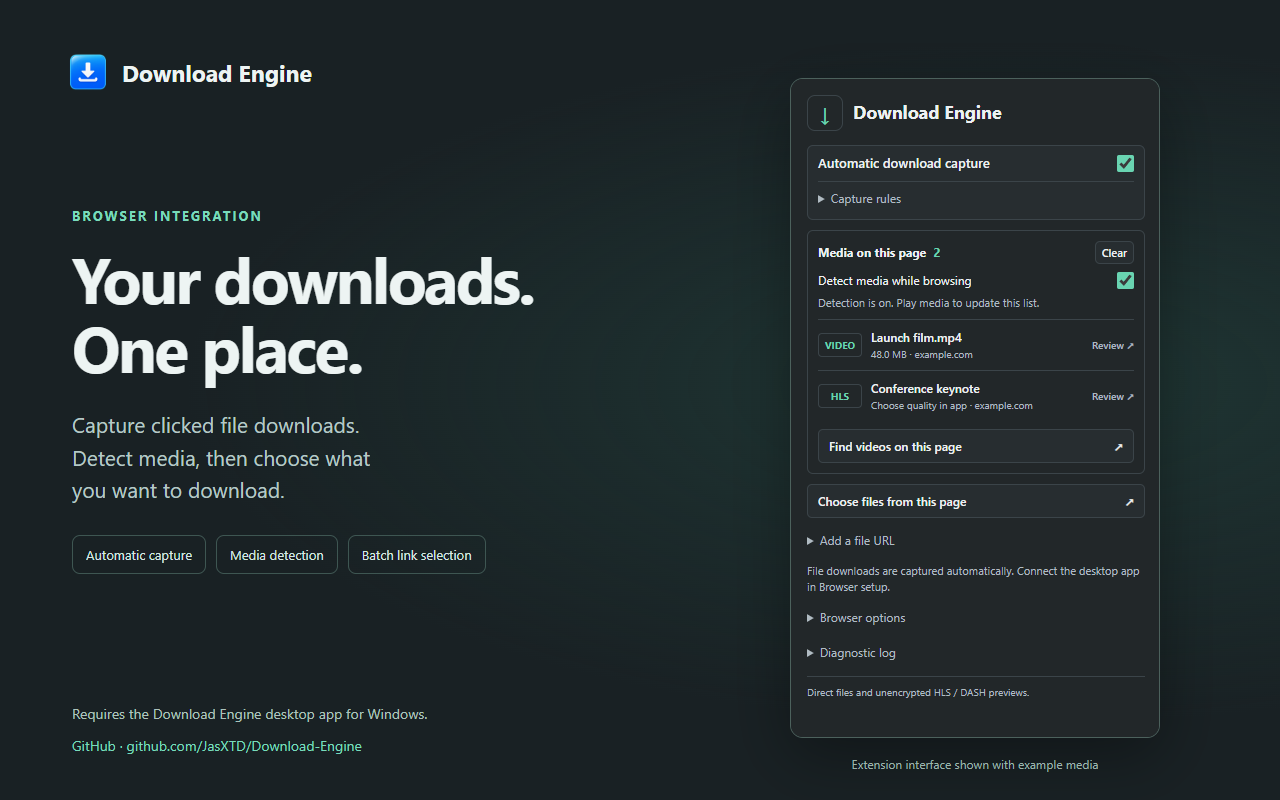
Capture clicked file downloads, detect supported media and select multiple links from a page. Let the desktop app handle the transfer.

Chrome · Edge · Brave · Firefox

Connect your browser

Requires the desktop app for Windows, macOS or Linux. Chrome Web Store also supports Edge and Brave. Store versions may lag behind the matching release ZIPs below.

Release highlights

What’s new in 3.19.0.

Read the full changelog
3.19.0

Uploads start off.

  • New profiles do not upload torrent pieces
  • Reset defaults keeps uploading off
  • Existing saved upload choices are preserved
  • Enable uploads in Preferences when wanted
3.19.0

Review network changes.

  • Incoming connections explain the exposure
  • UPnP has a separate router warning
  • Confirmation changes only your draft
  • Save applies the settings
3.19.0

Keep your choices.

  • Cancel returns to your Preferences draft
  • Closing without Save discards changes
  • Disabling incoming connections disables UPnP
  • No Windows Firewall changes

Free. Open source. Yours.

Your next download
starts here.

Stable v3.19.0
Take it with you

Windows portable

Extract the whole folder somewhere writable, then open de.exe.

Download portable ZIP Windows x64 · .zip · Version 3.19.0

Every desktop package includes native FFmpeg and its matching source and licenses. Windows binaries are unsigned; macOS packages are ad-hoc signed and not notarized. Check the SHA-256 checksums against your download.

Browser extensions

Install from a store for browser-managed updates, or use the matching 3.19.0 ZIPs for manual/developer loading. Desktop packages also include the extension files; the Firefox developer ZIP is unsigned.

Explore the source.

Get the matching v3.19.0 source archive, or explore ongoing development on GitHub.

A few clicks, then you’re off

Your first download.

  1. 01

    Open the app

    Choose your platform above, then open Download Engine. See the platform guide for native setup.

  2. 02

    Add your link

    Select Add URL, paste a file link and choose where to save it.

  3. 03

    Take control

    Start your download, organize a queue, connect your browser or pick a theme.

Read the full user guide

Good to know

A little clarity.

Is Download Engine free?

Yes. The application is free and open source under the MIT license. Bundled components, including FFmpeg, have their own licenses, available in About and the repository.

Can I use my own background image?

Yes. Open Preferences → Appearance → Custom and choose Choose image…. PNG and JPEG files up to 16 MiB and 16 megapixels are supported. The app keeps a resized copy in your local profile; images are never uploaded. Your picture gets its own card next to the presets, and Remove image deletes the copy when you save. Read the custom themes guide.

Which hosting sites are supported?

Since version 3.2.0, Download Engine supports individual MEGA public files and public WeTransfer transfers. It also discovers exposed links on supported download pages, including GitHub raw files. These features are included in the release packages. Password-protected transfers, account-only links and browser challenges are outside the supported workflows. See the hosting support details.

Can Web Grabber save any website?

It can discover downloadable files and save supported static pages with their assets and local links. A saved copy does not reproduce server-side features, forms, sign-in flows or JavaScript applications. Site structure and access restrictions affect what can be saved.

Do I need to install Lua or recompile the app?

No. Lua is built in. Create an automation script, site reader or download provider in the Scripting editor, then save it. A script can use the functions available to its role; provider jobs retain the saved revision used when they were added. Start with the read-only Lua example or the provider guide.

Can it download every video?

No. Built-in readers support selected public YouTube, Bilibili, TikTok and Twitch videos, plus compatible finished, unencrypted HLS and DASH streams from other sites. The built-in readers do not support live recording or DRM. Custom Lua providers depend on the integration their author supplies. Website changes and access restrictions can affect availability. Check supported sites and limits.

Does it work on macOS or Linux?

Yes. Version 3.19.0 includes macOS Apple Silicon and Intel packages and a Linux x64 archive alongside Windows x64. Some OS integrations remain Windows-only. Read the platform requirements, signing status and tested configurations. There is no Android package.

Is this Internet Download Manager?

No. Download Engine is an independent, free and open-source project inspired by Internet Download Manager (IDM). It is not affiliated with IDM and does not offer complete IDM feature parity. See what it offers as a free IDM alternative.

Can I download torrents?

Yes. Open a .torrent file or a magnet link from your file manager or a connected browser, or drop a .torrent file onto the app. Windows also offers copied magnet links for review. You can also use Tasks → Open torrent file… or Add download. Torrent support stays off until you enable it; you choose which files to download. Uploading, sharing after completion, incoming connections and UPnP start off for new profiles. Saved choices survive upgrades. Incoming connections and UPnP require confirmation and Save. See the features and torrent risk notice, or read the torrent guide.

How do I update?

The app checks the latest GitHub release when it opens, enabled by default. A newer version offers Get update or Later; current, offline and failed checks stay quiet. Turn this off in Preferences → Startup & tray, or check manually from Help → Check for updates. Downloads and installation stay manual. Close the app before upgrading, preserve portable data and downloads, and reload developer-loaded extensions. Profile upgrades can prevent older builds from reopening your data, so keep a backup if you may need to go back.